Step-by-step guideWebOwner / Admin / Member
Use Stations boards and move records
What you will accomplish
You will choose a Stations collection, inspect stages, open a record, and move it when allowed.
Who can do this
All roles with Stations access can view it. Moving records depends on edit permission and Stations rules.
Before you start
A Stations board is a configured sequence of stations or stages. Confirm the active organization and scope before moving a record.
Open and use Stations
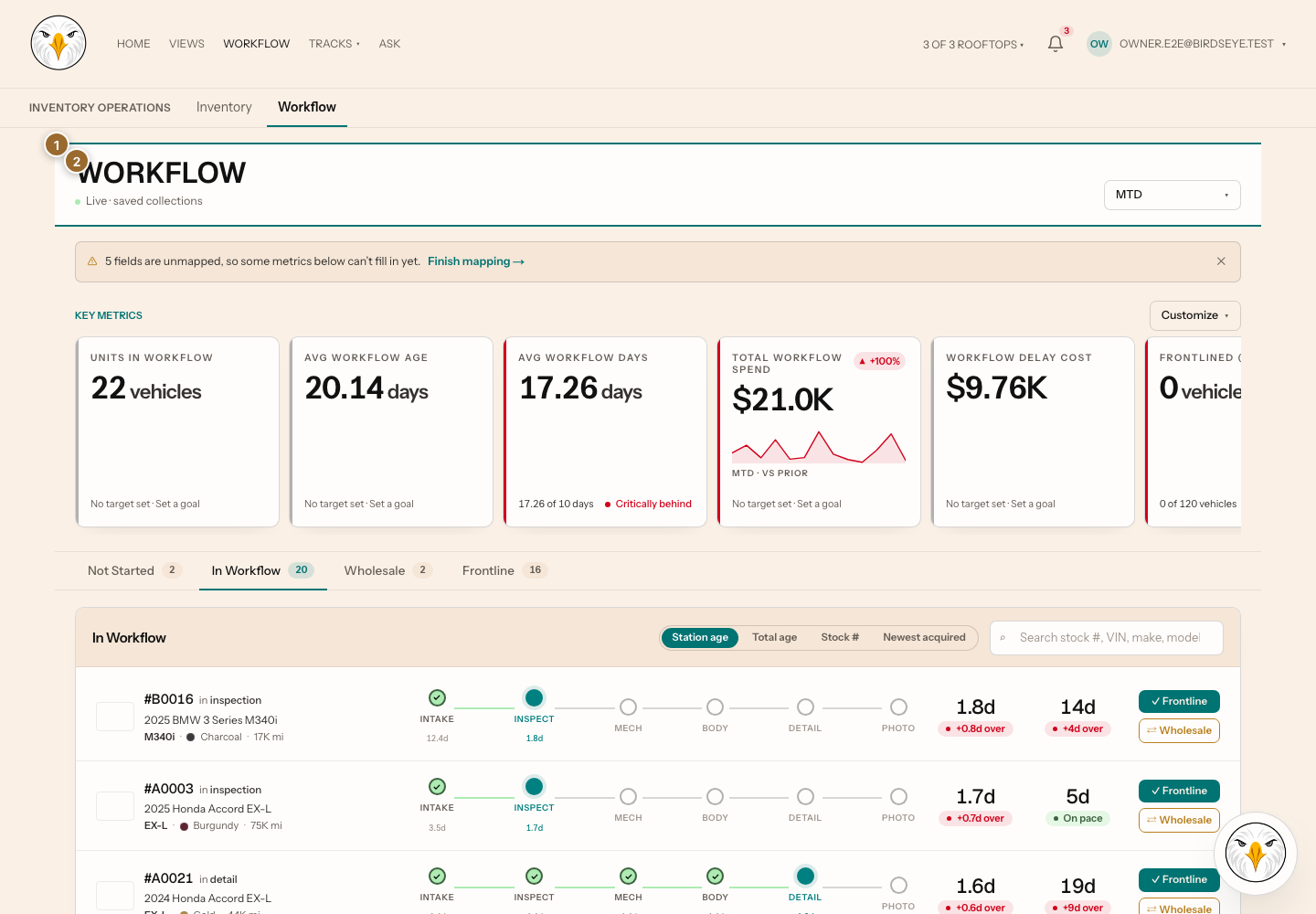
- Select Stations to open
/stations/workflow. - Select the intended Stations collection or track.
- Select Board or List when both presentations are available.
- Search or filter to find the record.
- Select the record to open its detail.
- Read its current station and history.
Move a record
- Open the record or its available move action.
- Select the destination station.
- Enter any information the move requires.
- Select the confirmation action once.
- Wait for the board and detail to show the destination.
Expected result: the record appears in the destination station and its history reflects the move.
If a station is disabled or missing, the transition may be prohibited, required information may be absent, or your role may be read-only.
Troubleshooting and recovery
- The record seems duplicated: clear search and filters, then reload before moving it again.
- A move fails: keep the current page open, read the error, and verify that another user did not move the record.
- Stations is absent: the organization may not have a Stations-enabled track.
Last verified against the product on 2026-07-29.